Grand Theft Timeline Steam Workshop & Mod Kit
Download community worlds or build your own with the disclosed AI-assisted mod engine—after vanilla clicks.
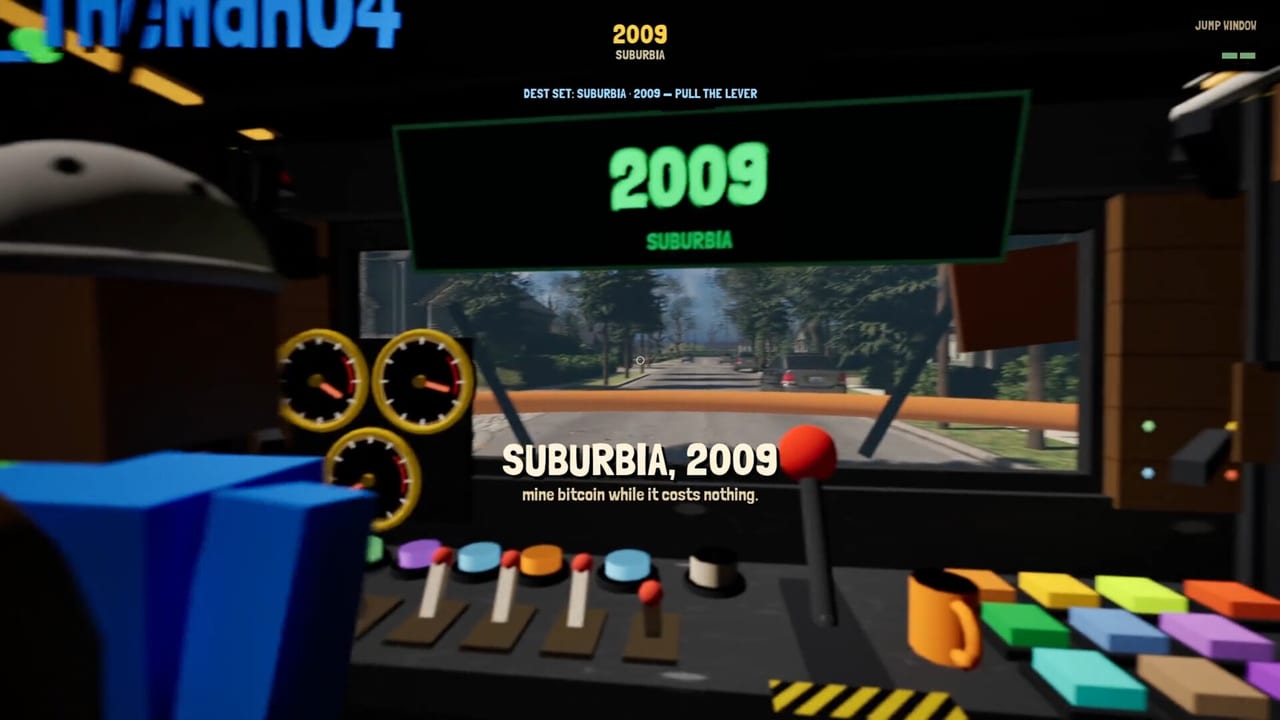
Grand Theft Timeline ships Steam Workshop support and a mod kit aimed at players who want extra worlds without a traditional modding background. The Steam page for app 4928450 discloses an AI-assisted mod engine as part of that toolkit. This guide covers how to think about community content, when to install mods versus learning vanilla first, how to approach making your own worlds, and how to keep performance and safety sane during Early Access.
REAL PLAYERS launched Steam Early Access on November 19, 2026 for Windows PC only, with roughly 24 months of EA and a full release target around late 2028. Official content already targets 200+ worlds, 25+ theme packs, and 2000+ NPCs. Workshop sits on top of that spine—it should spice the campaign, not replace the lessons that keep you from missing the time machine.
What Workshop is for
Use Workshop to:
- Download community-made worlds and experiences other crews built.
- Share your own destinations once the mod kit workflow clicks.
- Experiment with joke premises, extra captures, or alternate challenge rules after you understand stock extract timing.
Do not use Workshop as a substitute for learning knockdowns, cages, Paradox vacuuming, or boarding discipline. Mods that change timers, spawn density, or capture rules can hide failures that vanilla would have taught you in one wipe.
Learn vanilla before you pile on mods
A clean first week looks like this:
- Finish opening theme-pack worlds with full extracts—see Getting Started.
- Practice How to Capture NPCs until hauling a cage to the machine is boring.
- Stabilize Paradox Farming and one Timeline Arena unlock loop.
- Internalize Don’t Get Left Behind so departure is sacred.
- Only then subscribe to a small set of well-rated Workshop worlds.
If your first hours are all modded chaos, you will not know whether a bad night came from a broken sub, a host desync, or your crew ignoring the extract caller. Vanilla is the control group.
Downloading community worlds
Practical habits that survive Early Access churn:
- Read recent comments for crash reports on your GPU class before subscribing to everything trending.
- Enable one new world at a time so you can disable the offender quickly.
- Note whether a mod expects solo, 1–4 co-op, or larger parties; lobby size mismatches create confusing “broken” sessions.
- Keep a short crew checklist: mod name, who hosted, and whether captures still drip Paradox as expected.
Official Discord (linked from the links page) is the right place for broken-mod reports and creator feedback—not random blame in the middle of a heist.
Making your own content with the mod kit
The fantasy pitch is blunt: make content without traditional modding skill. The disclosed AI-assisted mod engine is part of that promise. Treat early creator sessions like sandbox nights:
- Start with a tiny playable loop—spawn, one fight, one extract—before building a 200-NPC museum.
- Playtest boarding and cage hauls yourself; a pretty map that softlocks the machine is not a feature.
- Label difficulty honestly so subscribers know whether they are downloading a joke lobby or a finale-grade gauntlet.
- Expect the kit and pipeline to grow across Early Access. More mod tools are on the radar—track Early Access Roadmap and Updates rather than assuming today’s buttons are final.
You do not need to be a career engineer to ship a fun world, but you do need extract honesty. If your creation trains players to ignore the machine, you are teaching the wrong lesson.
Performance notes
Mods can add geometry, NPCs, and effects beyond the official pack budgets. Before a Workshop binge:
- Confirm your machine against System Requirements—plan around Windows 10+, roughly 8 GB RAM minimum class hardware, and broadband for online co-op.
- Close heavy overlays if frame time spikes only in modded maps.
- Host from the most stable connection when testing new subs; desync plus dense custom crowds feels like a gameplay bug.
- If a world tanks FPS, disable it and report with hardware notes instead of stacking three more “optimization” mods on top.
Official packs already include dense hordes and physics toys. Custom content that multiplies both can humble a GTX 1050 Ti-class box quickly.
Safety and sanity rules
- Stick to Steam Workshop subscriptions for game content; treat random off-platform executables as out of scope for this wiki.
- Back up sanity by keeping a vanilla-only play profile or a mental list of which saves were touched by experimental worlds.
- Do not mix untested mods into a serious Arena unlock night or a finale attempt with friends who have limited time.
- Remember stocks, skins, and pets are already enough comedy—mods do not need to empty the crew treasury on day one.
Co-op etiquette with mods
Agree in Discord before the lobby:
- Which Workshop items are required.
- Whether captives from modded worlds are keepers for the shared garage plan.
- Who is allowed to enable new subs mid-session (ideally: nobody).
The Co-op Guide covers heist roles; extend that discipline to mod lists so one player does not silently rewrite the ruleset.
How mods interact with the rest of the wiki loop
Workshop should still feed the same spine: heist → cages → garage → Paradox → Arena → new worlds. If a mod breaks Paradox drip or invents captures you cannot extract, document it for your crew and fall back to official Theme Packs until creators patch. Tier lists for NPC Captures, Weapons, and Bosses describe vanilla priorities; mark modded exceptions in your own notes.
A sensible Workshop week
- Nights 1–2: vanilla only, one pack arc, garage tidy.
- Night 3: one highly rated community world, short session, full extract rehearsal.
- Night 4: either iterate that world with friends or open the mod kit for a tiny personal map.
- Night 5: disable experiments, return to official finale attempts with a clean ruleset.
Grand Theft Timeline’s Workshop and AI-assisted mod kit are long-term Early Access bets: more player worlds beside the official 25+ packs, with tooling that keeps expanding toward full release. Download thoughtfully, create carefully, measure performance, and never let a custom map teach you that missing the time machine is fine.
More systems guides live on the Guides Hub. Tools and requirements sit under Tools. Official store, Discord, and site links remain on Links.
Frequently Asked Questions
Quick answers for Early Access crews.
Does Grand Theft Timeline support Steam Workshop?
Yes. You can download community worlds and use the mod kit to create your own, including the AI-assisted mod engine disclosed on Steam.
Should beginners install mods immediately?
No. Learn vanilla captures, extracts, Paradox farming, and Timeline Arena unlocks first so modded rules do not hide core mistakes.
Do I need coding skill to make a world?
The kit is aimed at players without traditional modding skill, with an AI-assisted engine disclosed on the Steam page. Still playtest extract and capture loops yourself.
Can mods hurt performance?
Yes. Dense custom maps can spike GPU and CPU load. Check system requirements, enable one mod at a time, and disable offenders quickly.
Will mod tools expand during Early Access?
More mod tooling is expected across the roughly 24-month Early Access window. Follow the Early Access roadmap and updates hubs for changes.